PDF Scanner App - Document Scan v2 (Android Digital Delivery 2025)
PDF Scanner App - Document Scan v2 (Android Digital Delivery 2025)
Couldn't load pickup availability
Please Read This Product Description Page As Well As The Terms Of Sale Page Completely Before Purchasing This Product
*Legal Authorized Android Apps & Games Refurbished Perpetual Licenses
*Digital Delivery Only - shipped and delivered to your email ONLY as digital files.
ATTENTION:WE DON'T SEND ANY PHYSICAL MEDIA DISC (CD-DVD) AT YOUR HOME ADDRESS.You must accept the email who we send to you as proof of shipping.
*Clearance Sale - Black Friday - Limited Lowest Price Offer
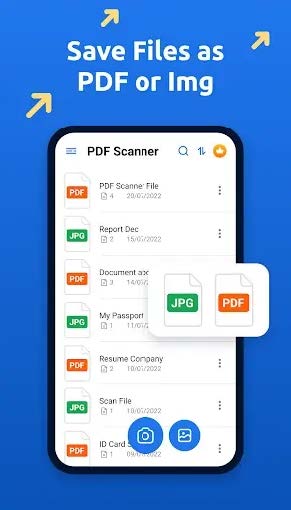
Overview of PDF Scanner App: Document
Scan Premium APK for Android
It is a lightweight and user-friendly application that offers a wide range of features to enhance the
scanning experience. It allows users to scan high-quality documents and save them as PDF files, making
sharing or archiving essential documents easy. Additionally, the app offers OCR (optical character
recognition) functionality, allowing users to extract text from scanned documents for easy editing and
sharing.
Features of the App
• Scan Documents: The app allows users to scan documents using their camera, ensuring high-quality
scans every time.
• PDF Conversion: Users can easily convert scanned documents into PDF files for easy sharing and
storage.
• OCR (Optical Character Recognition): The app offers OCR functionality, allowing users to extract text
from scanned documents for editing or sharing.
• Cloud Storage Integration: The app integrates with cloud storage services like Google Drive,
Dropbox, and OneDrive, allowing users to store and access their scanned documents easily from
anywhere.
• Image Enhancement: The app offers various image enhancement tools, allowing users to improve the
quality of their scanned documents.
• Multi-page Scanning: Users can scan multi-page documents and save them as PDF files for
convenience.
• QR Code Scanning: The app allows users to scan QR codes, making accessing additional information
or websites related to the scanned document easy.
• Batch Scanning: Users can scan multiple documents in a batch, saving time and effort.
• Auto Edge Detection: The app automatically detects the edges of documents, ensuring that only the
document itself is captured in the scan.
• Easy Sharing: Users can easily share their scanned documents via email, messaging apps, or social
media platforms.
System Requirements
• Android 5.0+